
CallRail Call Tracking Numbers Explained (So You Stop Guessing Where Your Leads Come From)
If you run a home service business, you already know this:
Your phone is money.
A homeowner might click around your website, read reviews, compare prices, then finally decide to call. That phone call is usually where the real buying starts.
But here’s the problem most home service owners run into:
You can’t always tell what marketing effort caused that call.
Was it your Google Ads? Facebook? A local directory? Your website page? A printed flyer someone handed out?
Without call tracking, all those calls can blend together. And when calls blend together, your marketing decisions become guesses.
That’s why CallRail exists: it helps you connect phone calls back to the marketing that drove them—using call tracking numbers.
Let’s break down what call tracking numbers are, why the setup choices matter, and what features you should care about.

What Are Call Tracking Numbers? (Using CallRail as an Example)
A call tracking number is a unique phone number that you use in your marketing.
Instead of putting your normal business number everywhere, you put a tracking number in its place—especially on places where people contact you.
When someone calls that tracking number, the system forwards the call to your real business line (or your cell phone).
To the caller, it looks normal:
- They dial a phone number
- You answer
- They talk to your team
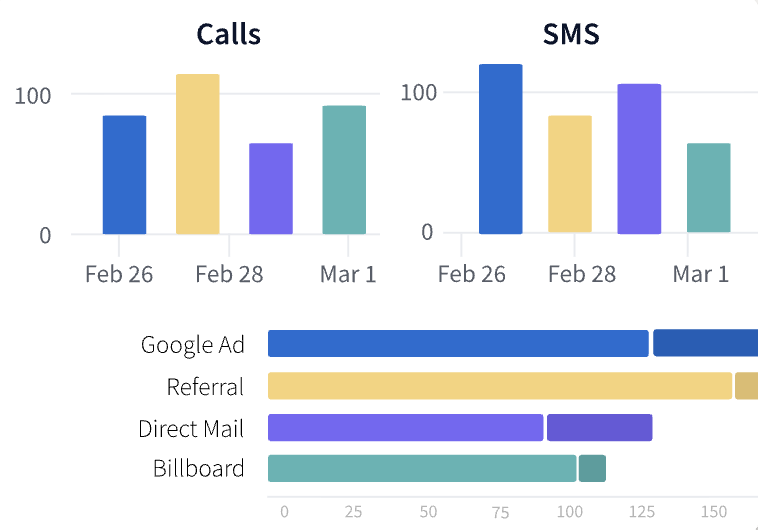
But behind the scenes, CallRail can identify where the call came from—based on the tracking number and how it was shown to that caller.
That’s the whole point:
Tracking numbers let you see which marketing efforts drive calls.
Why Home Service Owners Should Care
If you sell landscaping, mowing, HVAC, roofing, plumbing, pest control, or anything similar, leads usually don’t come from one place.
You might run:
- paid ads
- local search
- directory listings
- social ads
- seasonal promotions
- offline stuff (cards, flyers, signage)
When you don’t track calls, you’re left with things like:
- “That ad feels like it brings calls.”
- “We’ve always done it that way.”
- “It must be working.”
But home service businesses operate on tight schedules and tight margins.
You need to know what’s producing:
- calls that turn into estimates
- estimates that turn into jobs
- jobs that make you money
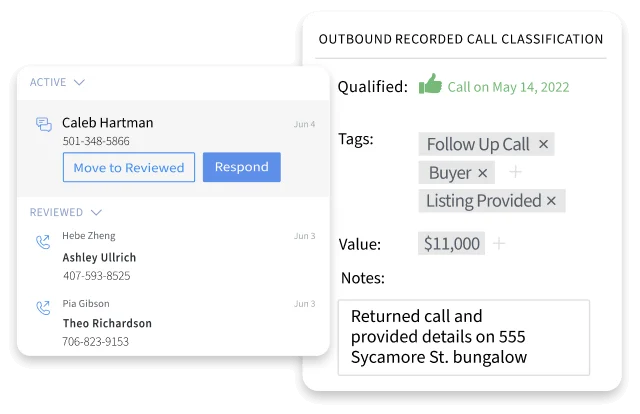
CallRail helps you evaluate that by making your call results more measurable.
The First Big Step: Create Tracking Numbers in CallRail
In CallRail, the setup starts with creating tracking numbers. These are the unique numbers that forward calls to where you actually answer.
Think of it like this:
- You choose where the number will appear
- You choose what call insights you want
- You choose how calls should forward to your team
Once that’s done, you can start seeing reporting based on actual calls—not just clicks.
You can also set this up for different placements, including:
- numbers on your website
- offline placements and other digital channels
The Smart Setup Choice: Use Tracking on Your Website
If your website is bringing you traffic, you should care about website-to-call tracking.
When your website shows a tracking number (instead of your normal business phone number), CallRail can connect calls to the web visitor journey.
That means you can learn things like:
- which source drove the call
- what campaign the caller was tied to
- and, when configured, which page they landed on before calling
For home service businesses, that “before the call” part matters. It’s often the difference between:
- someone just browsing, and
- someone ready to schedule
Number Pools: Why You Might Need More Than One Tracking Number
When CallRail recommends a number pool, it’s not because they’re being fancy.
It’s because of accuracy.
A number pool is a set of tracking numbers that can rotate for website visitors.
The key benefit is this:
It helps prevent multiple visitors from being assigned the same tracking number at the same time.
If that happens, you can get messy attribution. Then you might look at your report and think: “Why does this call data not match what I expected?”
Number pools reduce that problem by keeping tracking cleaner.
A simple way to think about pool size
CallRail often suggests estimating based on your average peak hourly visitors. The idea is:
- take your average peak hourly visitor count
- divide by a factor that accounts for average session time (CallRail uses a simple rule of thumb)
You don’t need to overcomplicate it. The goal is enough numbers to cover traffic during peak times.
Track More Than One Source (So You Don’t Limit Yourself)
When CallRail asks what sources you want to track, your instinct might be to pick only one.
But here’s the reality for home service owners:
Your marketing usually isn’t just one channel.
If you only track one source, you can end up with incomplete visibility. You might miss major drivers of phone calls and then wrongly decide to cut or change something.
In most cases, tracking multiple sources gives you a bigger, clearer picture.
So instead of asking: “What single source matters most?”
You should ask: “Where could calls be coming from, and how can I capture it?”
Routing Calls Correctly (Because Reporting Isn’t Worth Anything if Calls Don’t Land)
One of the most important parts of setting up CallRail tracking numbers isn’t the tracking itself—it’s where calls go after they’re forwarded.
CallRail needs to know:
- what phone number to route new calls to
That can be:
- your main business line
- a cell phone you answer
- another soft phone that reaches your team
If calls forward to the wrong place or don’t get answered quickly, you’ll lose leads—no matter what your report says.
So routing isn’t a technical detail.
It’s lead handling.
And lead handling is sales.

Call Recording: Turn Phone Calls into Learning
CallRail can also help you with call recording.
This is a major upgrade for home service businesses because it lets you do two valuable things:
1) Improve your team’s performance
Listen to recordings to understand:
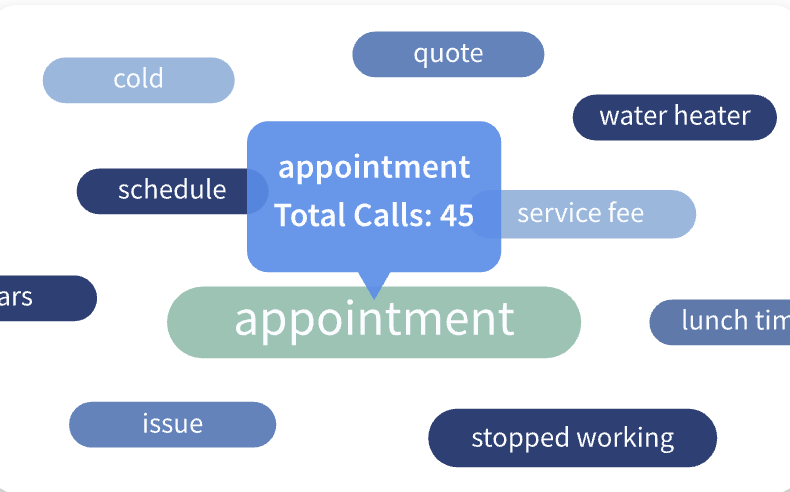
- what homeowners ask
- what objections come up
- what makes them say “yes” or “not now”
- whether your answers sound confident and clear
2) Train people faster
If you hire a new estimator or someone who answers the phone, recordings speed up training.
Instead of teaching guesses and “best practices,” you can review real examples and tighten your process.
That’s how you turn calls into a competitive advantage.
Whisper Messages: A Simple Feature That Helps Your Team
CallRail may also offer a whisper message feature. The idea is:
Before the call fully connects, your team hears a short message about where the caller came from.
For example, your team might get context like:
- “This call is from your website.”
- or another short note tied to the call’s origin.
This helps your team greet the caller in a way that feels prepared and relevant.
Home service customers notice that kind of competence.
Offline Numbers: Don’t Forget the Marketing That Isn’t on the Website
A lot of home service lead sources aren’t fully digital.
You might use:
- print ads
- business cards
- flyers
- yard signs
- billboards
- direct mail
CallRail can also support tracking numbers for offline placements.
The setup approach changes slightly because it’s not about swapping the number on your website. But the principle stays the same:
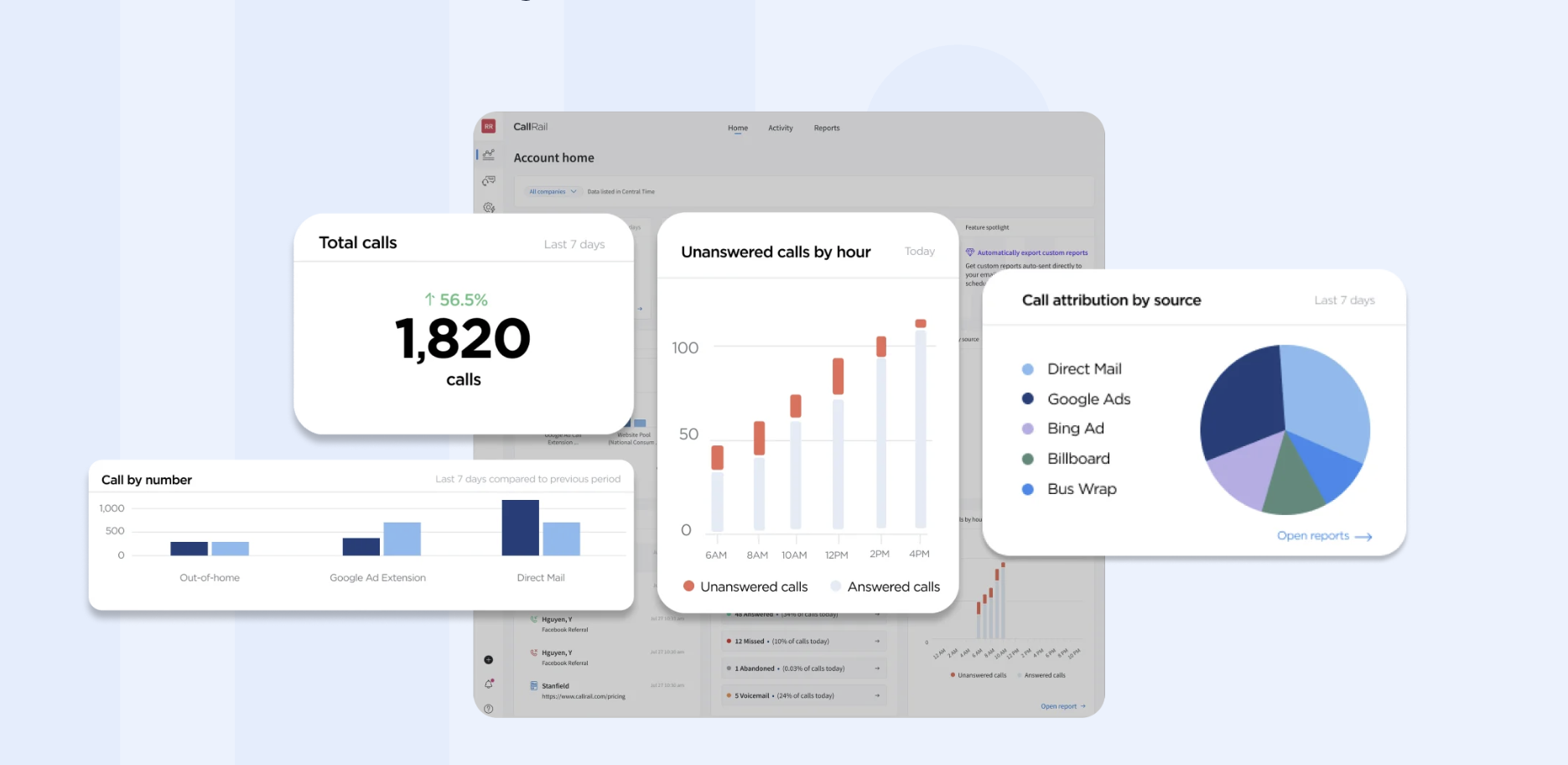
Use unique tracking numbers so you can attribute calls properly.
Even if you’re mostly online, offline tracking can uncover surprises like:
- which promo is actually paying off
- which neighborhood or print offer is generating calls
- which materials you should keep vs. stop using
Why You Should Use Separate Tracking for Each Campaign
If you mix everything into one tracking setup, your results might look “fine,” but they won’t be useful.
When you want to improve marketing, you need marketing clarity.
That’s why it’s smart to set up individual tracking numbers for each campaign you run.
When you do, reporting becomes more actionable. You can see:
- which campaign brings calls
- what types of calls convert better
- where you should adjust spend
For a home service business, that’s how you scale without wasting money.
The Next Step: Install the Tracking Code on Your Website
Creating tracking numbers is step one.
But the next critical step (for website tracking) is installing a short line of code on your website so CallRail can show the tracking numbers instead of your normal business number.
Once that code is in place, your call tracking can start working the way you expect—connecting calls to online visitors and sources.
Final Take: CallRail Helps You Turn Calls into Answers
Call tracking isn’t just a “reporting tool.”
For home service owners, it’s a decision tool.
When you use CallRail tracking numbers, you stop relying on guesswork. You start learning what’s actually driving calls and what your marketing is doing behind the scenes.
And when you know that, you can:
- keep what works
- fix what’s weak
- and stop paying for channels that don’t perform
If you’re serious about running your home service business like a system (not a hope), consider CallRail.
